Watermark & Branding
Add your logo to photos and videos on the channels you choose
Your logo on photos and videos as they go out, placed once and applied for you.
Start free today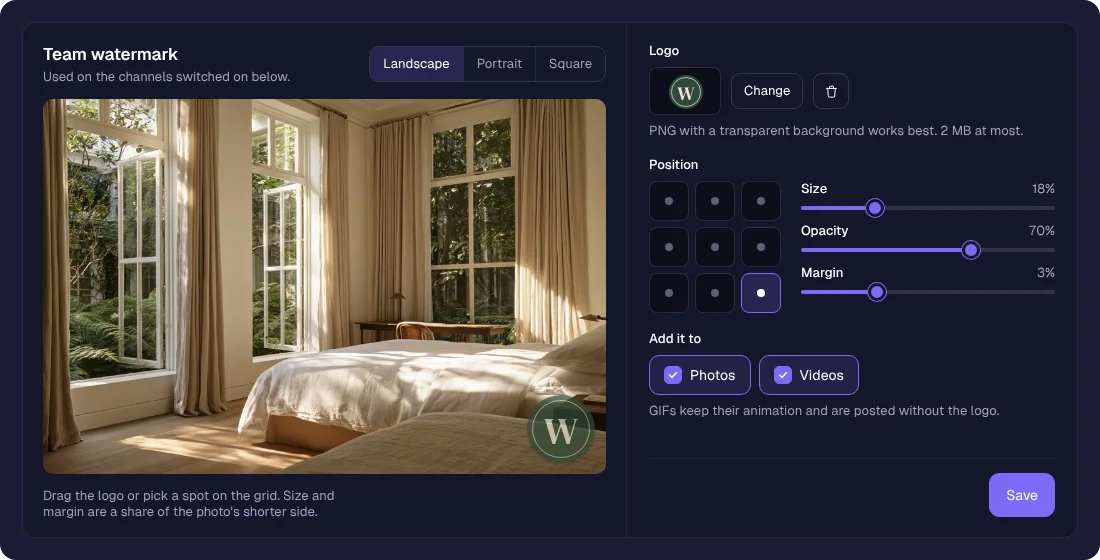
A small logo in the corner tells people whose post they are looking at, even when it travels far from your page. sona.to adds it as each post goes out, so you never open an image editor and never forget it on a busy week.
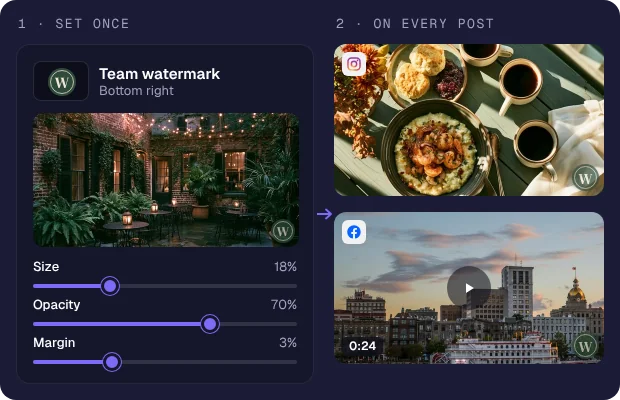
Applied on the way out
Upload your logo, place it on the preview and pick its size and opacity. From then on, photos and videos posted to those channels carry it, with no image editor in between.
One logo, or one per channel
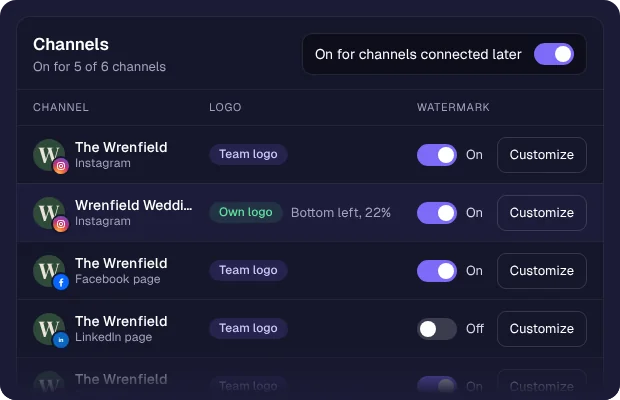
Use your team logo everywhere or give a channel its own logo and placement, so each client of an agency keeps their own mark.
Professional by default
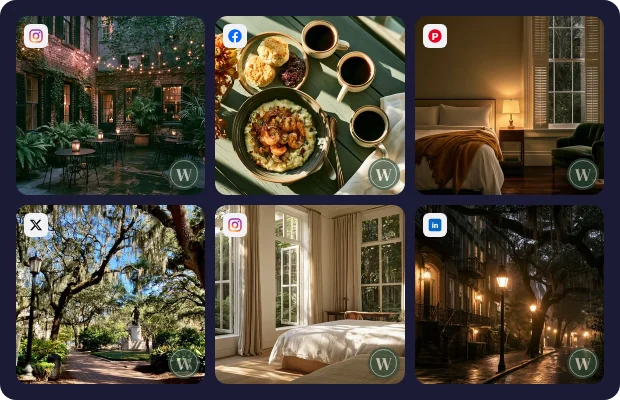
Instead of some posts branded and others bare depending on how rushed you were, everything carries the same finish, so your feed reads as deliberate.
How it works
1
Upload your logo
Add the mark you want on your photos and videos.
2
Choose its position
Pick one of nine spots, then set its size, opacity and margin.
3
Turn it on per channel
Switch it on for the channels that need it. New channels can get it from the start.
4
Post as usual
Photos and videos posted to those channels carry the logo, with no extra step.
Who it's for
Photographers and creators protecting and branding their images by default.
Retail and product brands keeping one look across their feed.
Agencies applying each client logo without editing images one by one.
Small businesses that want a professional feed without a designer.
Questions