Bulk Posting
Bulk schedule your social media posts from one spreadsheet
Fill in a spreadsheet, upload it, and every row becomes a scheduled post.
Start free today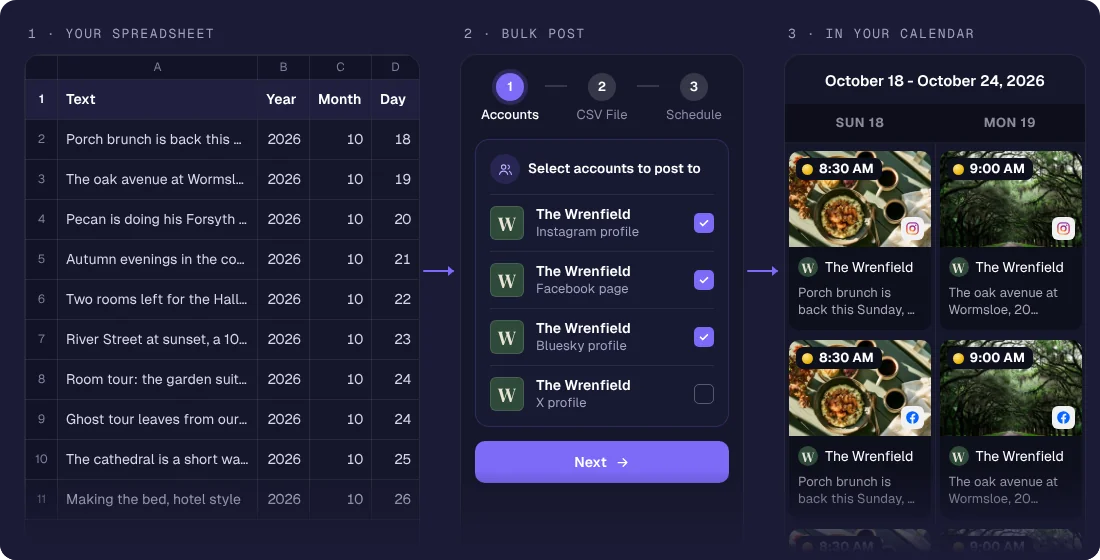
Posting one at a time is fine until you have a campaign. With sona.to you fill in one spreadsheet, upload it and every row becomes a scheduled post on the channels you pick.
Built for volume
Write the posts and their times in the template, in Excel, Google Sheets or any spreadsheet app, then upload it once.
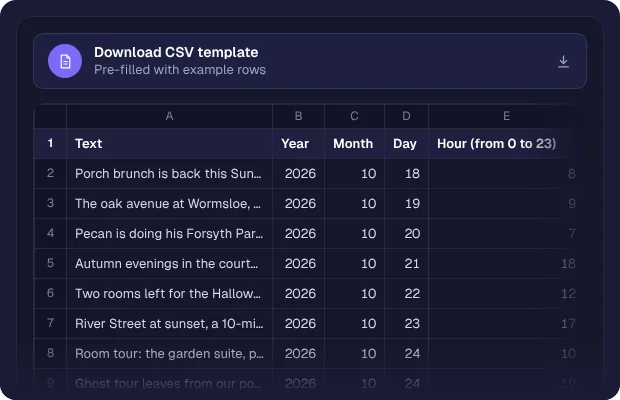
Every channel at once
Pick the channels for the batch and each row is scheduled to all of them.
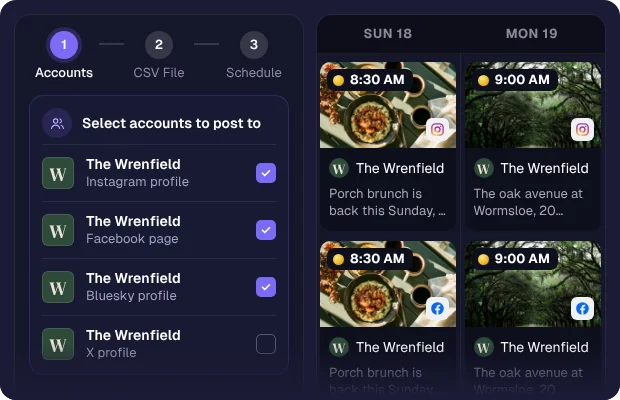
Get ahead of your calendar
Loading a month of content in one sitting means you get ahead of the schedule instead of chasing it, and your attention goes back to the work that needs you.

How it works
1
Prepare your posts
Download the template and fill in one row per post.
2
Upload the file
Files saved with commas or semicolons both work.
3
Set times and channels
Each row carries its time. Pick the channels the batch goes to.
4
Schedule the batch
The whole run becomes a queue that publishes on its own.
Who it's for
Product launches that need a coordinated week of posts ready in advance.
Agencies loading a month of client content in one focused session.
Seasonal businesses scheduling a whole campaign before the busy period.
Event organizers lining up a run-up of posts across every channel.
Questions
Related features
Scheduling
Plan, drag, drop, and publish across every channel without living in the app.
AI Content Generator
Turn a rough idea into a ready caption, in the tone you pick and sized for the network it is going to.
RSS Auto-Posting
Connect an RSS feed and new items are posted to your channels on their own.