Accounts Management
Manage multiple social media accounts from one dashboard
Connect every brand's channels, group them by client and post to a whole group in one click.
Start free today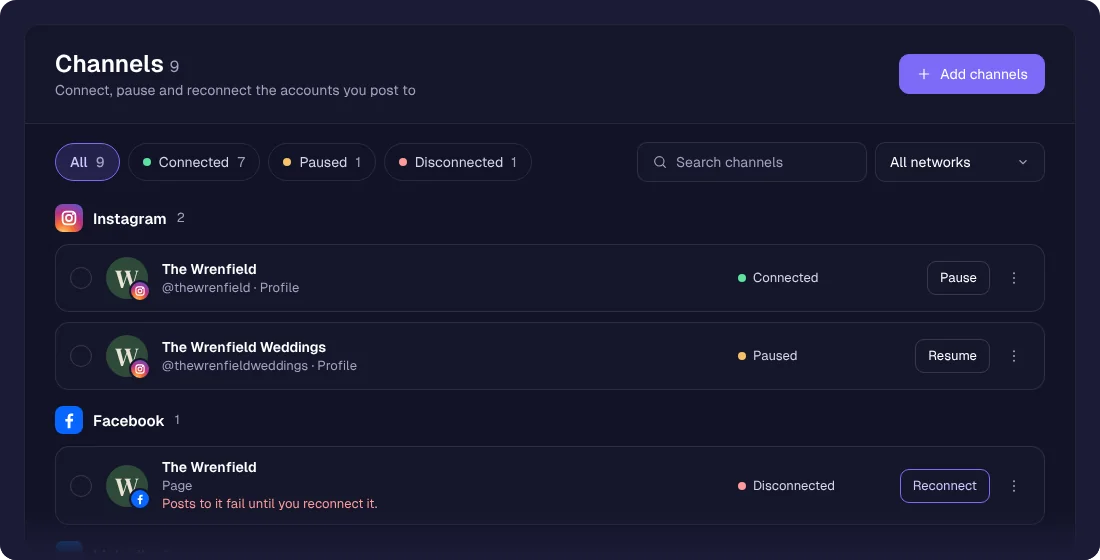
Running more than one brand means a lot of channels. sona.to keeps them all behind one login, sorted into groups, so you pick the client and post to the right channels without hunting for them.
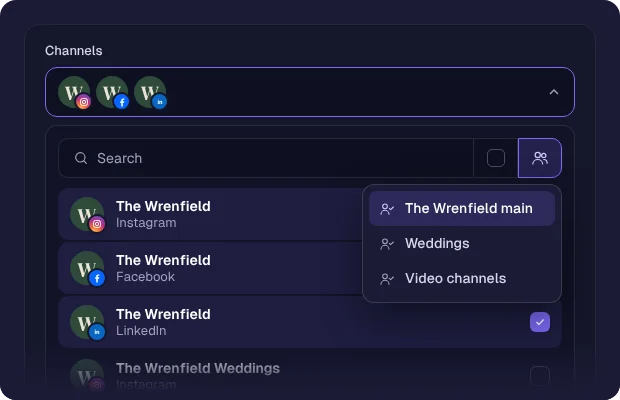
Groups for each client
Put the channels of each client in a group, then pick the group in the composer to select them all at once.
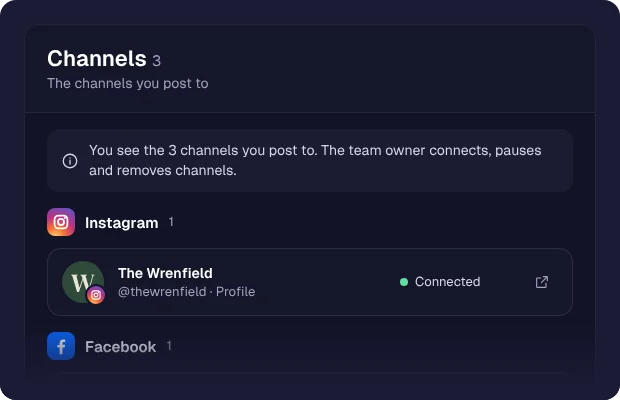
Brands stay separate
Give a team member only the channels of their client. They see and post to those channels and nothing else.
Built for agencies
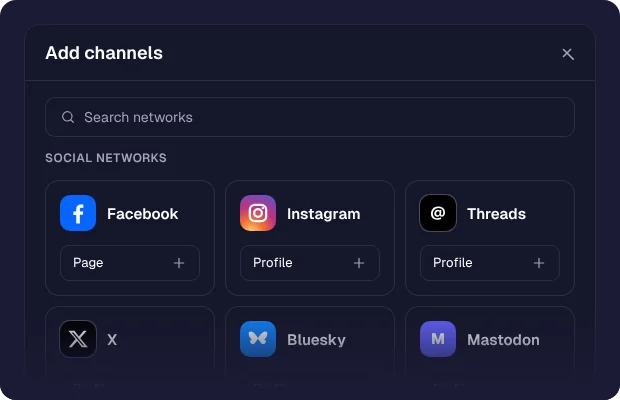
Adding a client means connecting their channels, not another login to juggle. Your plan sets how many channels you can connect.
How it works
1
Add your accounts
Connect the channels of every brand or client.
2
Group them
Sort channels into a group per client or brand.
3
Post to a group
Pick a group in the composer and its channels are selected.
4
Scale without friction
Add the next client without adding another login to juggle.
Who it's for
Agencies running many client accounts from one place.
Freelancers handling several brands without a pile of logins.
Multi-brand businesses keeping each brand cleanly separate.
Franchises managing location accounts under one roof.
Questions
Related features