Home / Features / Workflow Automation
Workflow Automation

Put sona.to inside the automations you already run

Connect Zapier, Make or n8n and let them schedule posts, pull analytics and react to what happens.

Start free today
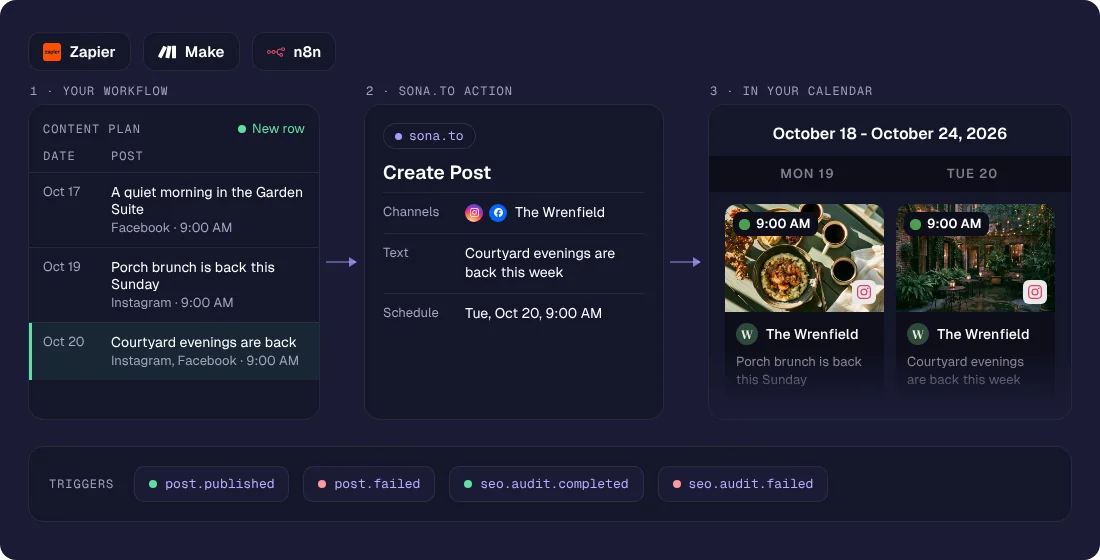
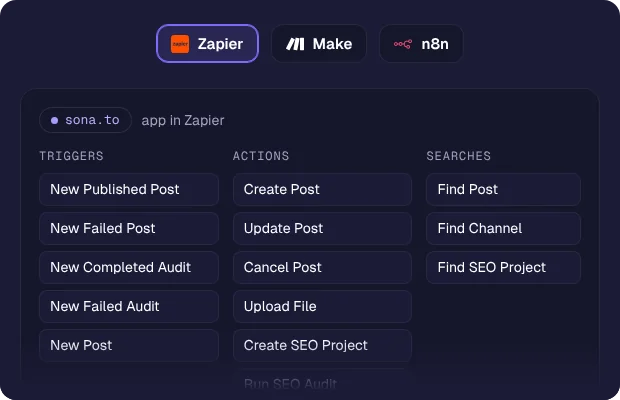
Most teams already run something between their tools. sona.to plugs into that layer rather than asking you to work somewhere new. Zapier, Make and n8n each ship an MCP client, so you paste one URL and a token and sona.to becomes a step they can use: write a post, schedule it, read your numbers, start a site audit. Point a webhook back the other way and those same workflows react the moment a post goes out.

One URL, no connector to install

Paste https://mcp.sona.to/mcp into the MCP client in Zapier, Make or n8n, add a token from your dashboard, and the tools appear in the picker. There is nothing to download and nothing waiting on an app review.

Schedule posts from a workflow

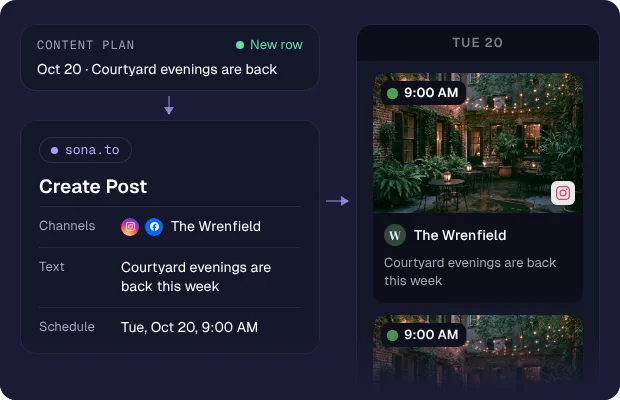
A workflow can write a post, pick the channels and set the time, the same way you would in the composer. A row added to a spreadsheet or an approved item in your CMS can become a scheduled post without anyone opening sona.to.
React the moment something happens

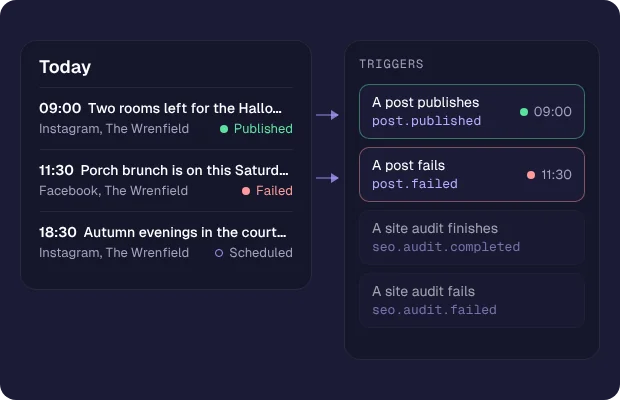
Webhooks send a signed request when a post publishes, a post fails or a site audit finishes. Your workflow starts on the event instead of checking every few minutes to see whether anything changed.

How it works
1
Create a token
Open the API page in your dashboard and generate one. Read-only or read and write.
2
Paste the URL
Add an MCP client step in Zapier, Make or n8n and point it at https://mcp.sona.to/mcp.
3
Pick a tool
The available actions appear in the step, from listing channels to scheduling a post.
4
Close the loop
Add a webhook so the same platform hears back when the post goes out.
Who it's for
Marketing teams turning an approved item in their CMS into a scheduled post.
Agencies logging every client publish into a shared reporting sheet.
Ecommerce announcing a new product the moment it is listed.
Anyone who already lives in Zapier, Make or n8n and wants social in the same place.
Read the developer documentation →
Read the related article →
Questions

Ready to try it?

Free to start, no credit card required.

Get started free